Gambwiz Auto Kit

GTA 6 videos, made on your own PC. You say what you want. Claude Code, Cursor or Codex builds it.

See Claude make one

New in the kit

Every preview below was made with the kit, on gameplay you drop in.

01 Long videos · 16:9

Motion design

Give it a subject: it finds the angle, writes the script, records the voice on your PC and builds every scene in motion design, up to a 60 fps 1080p MP4.

/video

On your footage

Drop in your gameplay or trailer clips: it lays routes, labels, cards, posts and counters on top, timed line by line to your voice.

/video
02 Maps · /map

3D map flyover /mapName places on Leonida and the camera flies from one to the next, labelled, in 16:9 or 9:16.
Map callouts /mapPins every place you name on the map with its own fact or number, from a source you can check.

03 Overlays · --plan

Overlay families

Write a plan and it drops place tags, chapters, character and mission cards, chats, posts, articles or timelines onto your clips. Any accent colour, 16:9 or 9:16.

/clip --plan

04 Explainers · motion design

Maps to scale /mapSets the game map beside any real state or country, traced from public shapes, area computed.
Game vs real /visualsLays the real place over the game map to show what the game is based on.
Globe and hub /visualsNo template fits? It builds a new scene for you, native in 16:9 and 9:16.
3D chart /visualsTurns sourced numbers into animated charts, counters, gauges and rankings.
Hierarchy /visualsDraws who-is-who trees and timelines from your list of characters, gangs or events.
VS face-off /visualsPuts any two characters, cars or games head to head, stat by stat.

05 Shorts · 9:16

Trailer Short /clipCuts any long video into ready-to-post 9:16 Shorts: best moments found, word-by-word captions, a hook title.
Clip a streamer /clipKeeps the streamer cam in its own frame and moves every overlay clear of it.
Dusk style /clipSwitch the whole look with one flag: miami, dusk, or your own colours.

06 Thumbnails · /thumbnail

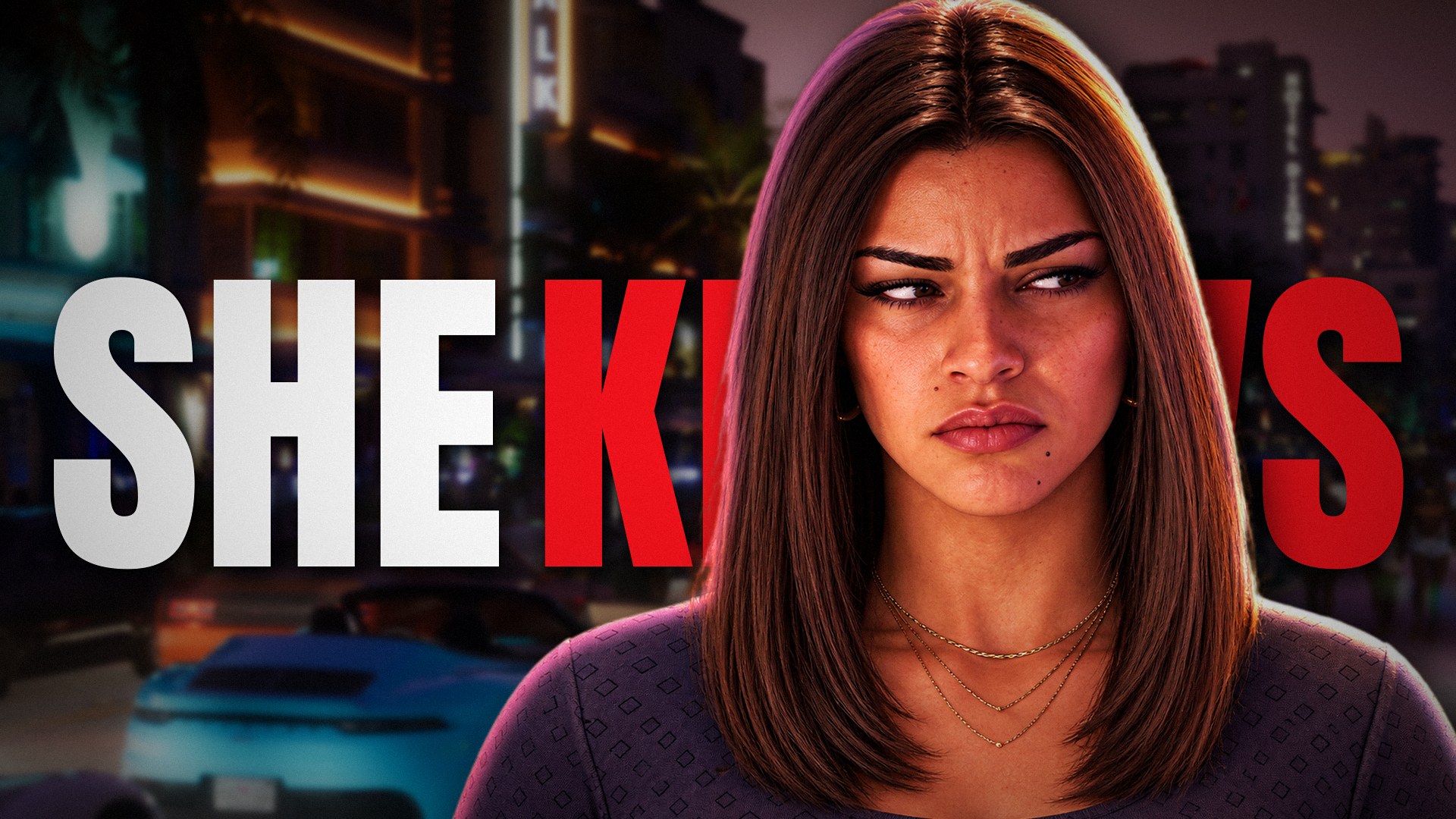
She knows thumbnail

Turns a video title and your character PNG into a 1920×1080 thumbnail: one or two huge words behind the character, cinematic or split AI-scan look.

How it works

You type it.
Claude makes it.

Open the kit in Claude Code, Cursor or Codex. Ask in plain words, get the render, then change anything: add a map, switch the colours, cut a stream, end on a VS.

Watch it work · live demo
Claude Code · my-gta-channel
Ask for a video, a shot, a change…
  1. 01

    Name the piece

    Short, long video, single shot, thumbnail, or today’s news angles.

  2. 02

    Lock script and voice

    Approve the lines, then record voice on your PC. Those timings set the edit clock.

  3. 03

    Render and export

    Motion shots, clips or stills under each line. Final MP4 (16:9 and 9:16) or FCPXML/EDL for your editor.

In the folder

One folder.
All local.

What you need

OS
Windows 10/11 is the documented path. SETUP.cmd checks the machine.
Assistants
Claude Code, Cursor and Codex. Plain language or slash commands like /video and /shot.
Editors
DaVinci Resolve, Premiere, Final Cut, CapCut. Silent 60 fps MP4 plus timeline handoff.
Required setup
Node.js 20+, FFmpeg, Chrome or Chromium. Voice and thumbnails need Python 3.

FAQ

Questions.

Is this an official Rockstar product?

No. GAMBWIZ is an independent creator tool. It is not affiliated with, endorsed or sponsored by Rockstar Games or Take-Two Interactive.

Can I buy it here?

Yes. $49 plus local tax (VAT or sales tax, shown at checkout), one payment through Stripe, no subscription. You download the kit right after paying, and the link is emailed too.

What is in the folder?

Motion examples, styles, render engine, voice/footage/thumbnail tools, the playbooks your assistant follows, a step-by-step first-video guide, 40 ready prompts, a hook method, and channel tools to plan, queue, post and learn from your stats. Your projects and renders stay on your machine.

Does it post for me?

You stay in control. /post prepares titles, descriptions and tags for each platform; it can fill YouTube Studio in your browser up to the Schedule button, which you click, or schedule YouTube uploads through your own free Google API project. TikTok and Instagram get copy-paste packs. Nothing goes public without your click.

Does the kit need its own subscription?

No. You need an AI assistant subscription (Claude, Cursor or ChatGPT/Codex) plus the free local tools in setup. The kit itself has no subscription.

Is it only for GTA 6 content?

It is built for original creator content about GTA 6: maps, crews, stats, Shorts and long explainers. Third-party footage and assets still require the appropriate rights.

Does it include official Rockstar assets?

No. Motion demos are original kit renders. The footage clips use public trailer footage you add yourself in my-footage/; the kit ships no Rockstar footage, logos or artwork.

out now

Get the kit.

One payment. Download link by email. The kit runs on your PC.

Follow @mcpdoom